



Every step from an idea to your first order on Shopdrop's Free plan, with no monthly bill and no fee on any sale.
 Shopdrop team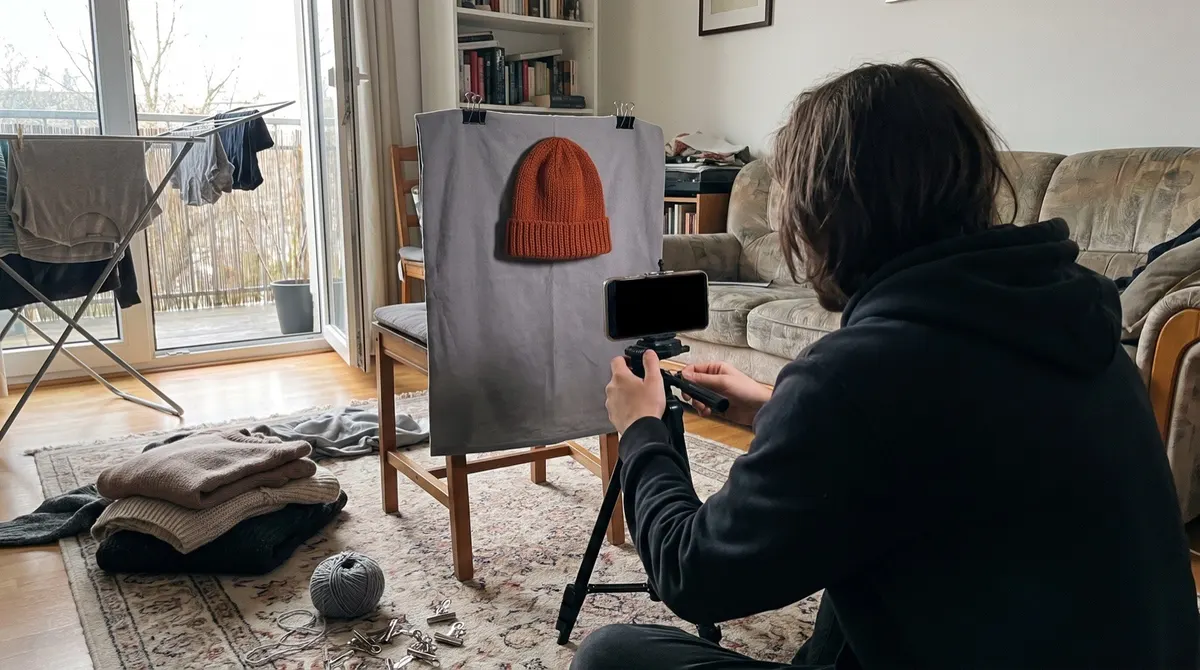
Most online stores start the same way. Someone makes a thing, a friend asks for one, then a friend of that friend asks, and soon there's a list of names on the back of an envelope and no easy way to take the money.
That's the moment to open a store, and you can open one that takes real orders for $0 today. Pick one kind of product you can get hold of, open a free plan that accepts orders, add your products, set up payment and delivery, place a test order, then tell the people who already know you.
The store is the quick part. Deciding what to sell, and where it comes from, takes longer, and it's what decides whether anyone buys. This guide walks the whole way from an idea to your first ten orders on Shopdrop's Free plan, with the screens you'll see at each step.
In short
Choose one product line you can source, and check that people want it before you buy stock.
Open a free plan that takes orders.
Add your products with clear photos, plain descriptions and the sizes or colors you have.
Set up how buyers pay you and how orders reach them, and let your delivery and return policies be written from your answers.
Place a test order, then open the store and tell people who know you first.
On this page
- What "free" covers, and what still costs money
- Step 1: Choose what to sell
- Step 2: Pick a free plan that takes orders
- Step 3: Create your store
- Step 4: Add your first products
- Step 5: Set up payments and delivery
- Step 6: Check you're ready, then place a test order
- Step 7: Open your store and get your first ten orders
- When free stops being enough
- Questions people ask
What "free" covers, and what still costs money
A free plan removes the monthly fee. It doesn't remove every cost of selling, and it helps to see them side by side before you start.
| Free | Still costs money |
|---|---|
| The plan itself, with no time limit and no card | Your stock, or samples if you make to order |
| A store address at your-name.shopdrop.pro | A domain of your own, if you want one later |
| Up to 10 products, five photos each | Packaging and delivery, unless the buyer pays for delivery |
| Delivery and return policies written from your answers | Ads, if you choose to run them |
| A launch checklist and a test order | Photos or help you pay someone for |
| 10 Genie credits a month, and 20 to start | More credits, once you use those up |
The biggest cost for most new sellers is the first batch of stock. Keep it small. Ten of each item tells you more than a hundred sitting in a cupboard.
Step 1: Choose what to sell
Start with one product line, something you can describe in a sentence and get hold of again when it sells. It might be something you make, something you buy wholesale, or a design printed only when someone orders it.
Before you spend money, check that people want it. Look up the item on Google Trends to see whether interest is steady or fading. Search for it on Etsy or Amazon, and read what buyers say in the reviews of similar products: the complaints tell you what to do better. Then ask ten people who would plausibly buy it whether they would, and at what price. If most of them hesitate, change the product before you change anything else.
Starting with no money
If you can't buy stock yet, you have two ways in. Pre-orders let you take payment first and buy or make the items after, which works when buyers trust you and know the wait. Print on demand means a printing company makes each item only after it's ordered, so you hold no stock, but your margin per item is smaller and delivery takes longer. Either way, say clearly how long an order takes to arrive.
Step 2: Pick a free plan that takes orders
Many store builders call themselves free but only offer a trial. As of October 2026, three have a free plan that takes real orders.
| Platform | Free plan | Good to know |
|---|---|---|
| Shopdrop | 10 products, no fee on any sale | An AI assistant and a launch checklist included. Customers pay by cash on delivery, bank transfer or a method you add, with cards from November |
| Square Online | Unlimited items, no monthly fee | 3.3% + 30¢ on each card sale. Best if you also sell in person |
| Big Cartel | 5 products, one photo each | Takes cards and PayPal. Suits a very small catalog |
Shopify, Squarespace and Hostinger offer trials instead, Wix's free plan can't take payments, and Ecwid's cheapest plan is $5 a month. We compared nine platforms on prices and fees in our post on ecommerce platforms for small businesses.
From here, the guide sets up a store on Shopdrop's Free plan.
Step 3: Create your store
Sign up with your email or Google account, then give your store a name. The store is made as soon as you do, on the Classic theme, at your store's name on shopdrop.pro.
Three optional questions follow: whether you're just starting or already selling, what kind of products you sell, and where you sell today. Your answers shape the suggestions you see later, and you can skip all three.
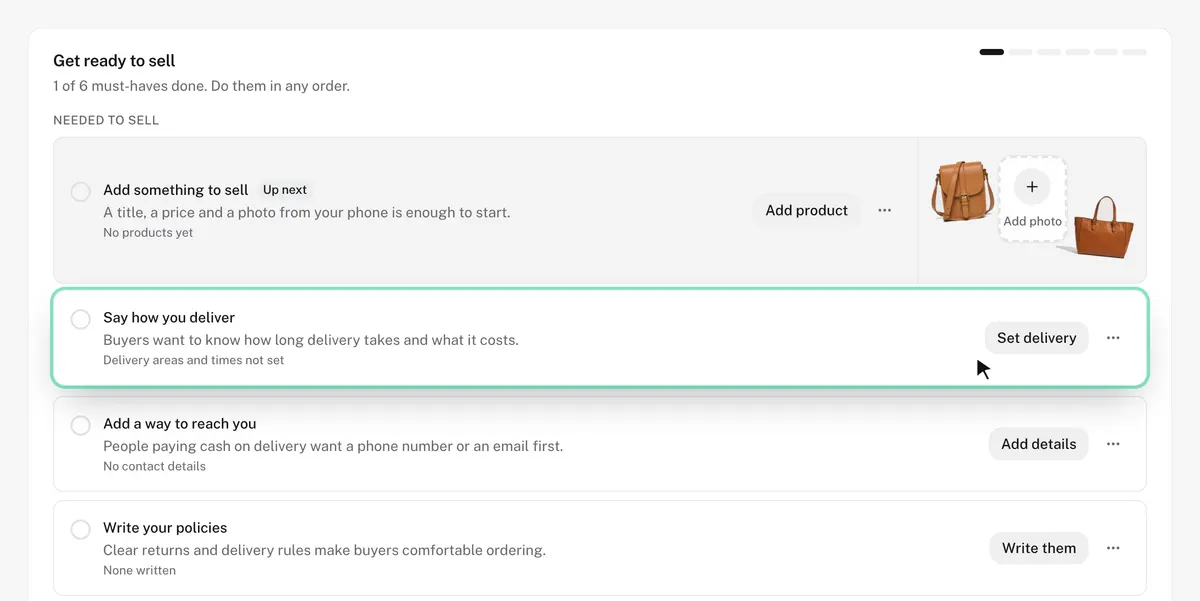
You land on Home, where a launch checklist shows the six things your store needs before it opens. The rest of this guide follows that list.
Step 4: Add your first products
Your photos do most of the selling. Take them in daylight near a window, on a plain background, and show the item from the front, the back, close up and in use. Keep the same light and background for every product so the store looks like one shop. The Free plan holds five photos per product.
Write the title the way a buyer would search for it, such as "Linen tote bag, natural" rather than a name only you know. In the description, answer the questions a buyer would ask in person: what it's made of, its size, how to care for it, and how long delivery takes. If it comes in sizes or colors, add them as options, each with its own stock count, so a size that sells out stops being offered.
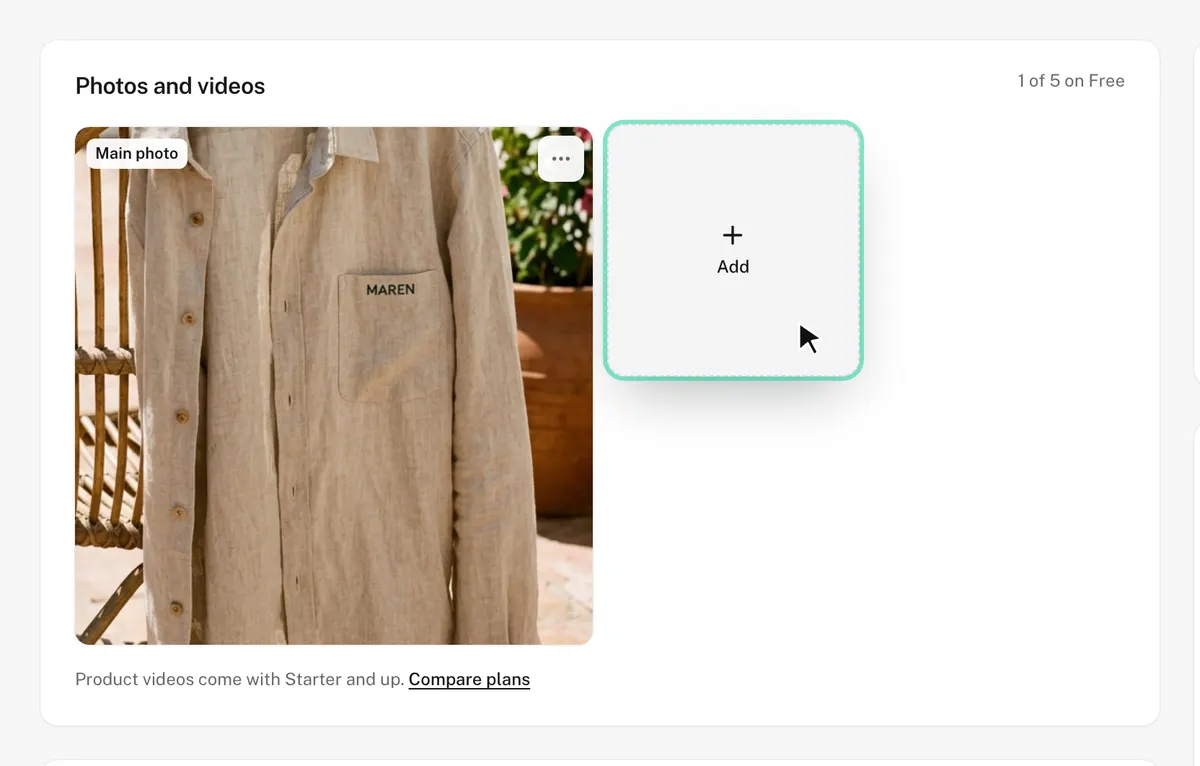
Genie, the assistant in the portal, can draft a description from your photos for you to edit. The Free plan includes 10 credits a month and 20 to start.
Step 5: Set up payments and delivery
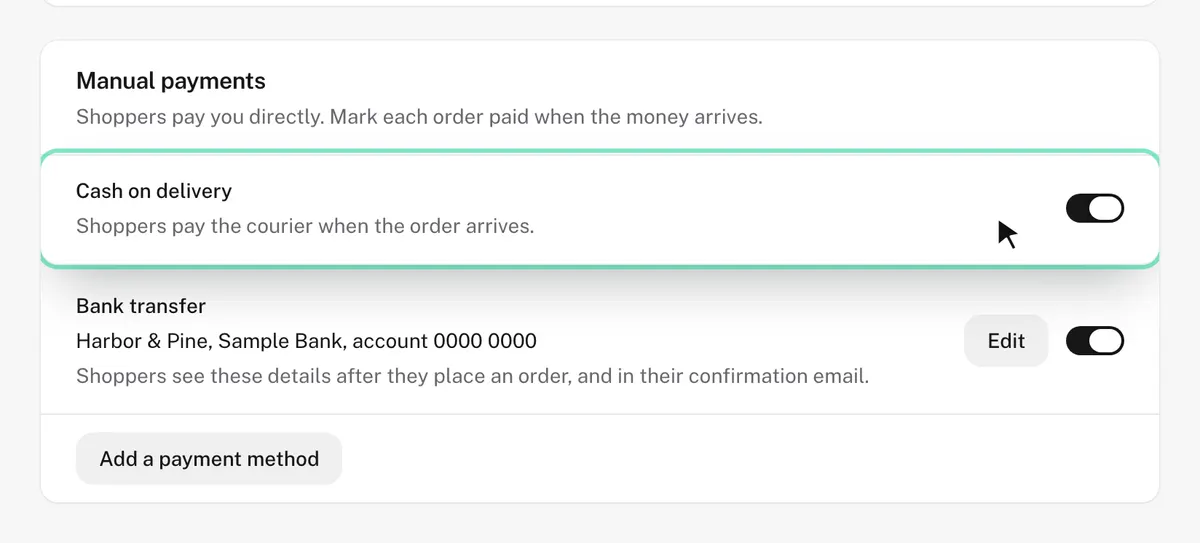
On Shopdrop's Free plan, customers can pay by cash on delivery, by bank transfer, or by another method you describe in your own words, such as a payment app you use. Switch on the ones your customers already trust. Card payments arrive in November: you'll connect your own Stripe or PayPal account, and Shopdrop takes nothing on top.
For delivery, set up to 10 delivery options. Each one is either delivery or pickup, with a price, an optional free-delivery threshold, the area it covers and how long it takes. Start with one or two you can keep to. A promise you break on your first order costs more than a slower option you keep.
Your delivery and return policies can be written for you from these answers, and you can edit them. Add your contact details too: an email address buyers can reach you on, and a phone number if you take orders by phone.
Step 6: Check you're ready, then place a test order
The launch checklist turns green as you go. Its six must-haves are a product, a way to get paid, delivery, contact details, your policies, and publishing. Publishing asks you to confirm your email address first.
Tip: Place a test order before you tell anyone: on the Orders page, choose Send yourself a test order. It sends you the real order alert, so you see exactly what arrives when someone buys, and it never counts as a sale. Then open your store as a buyer would and read every page once, from the home page to checkout. Delete the test order when you're done.
Build your online store from $0 a month, with no commission.
Start your store freeStep 7: Open your store and get your first ten orders
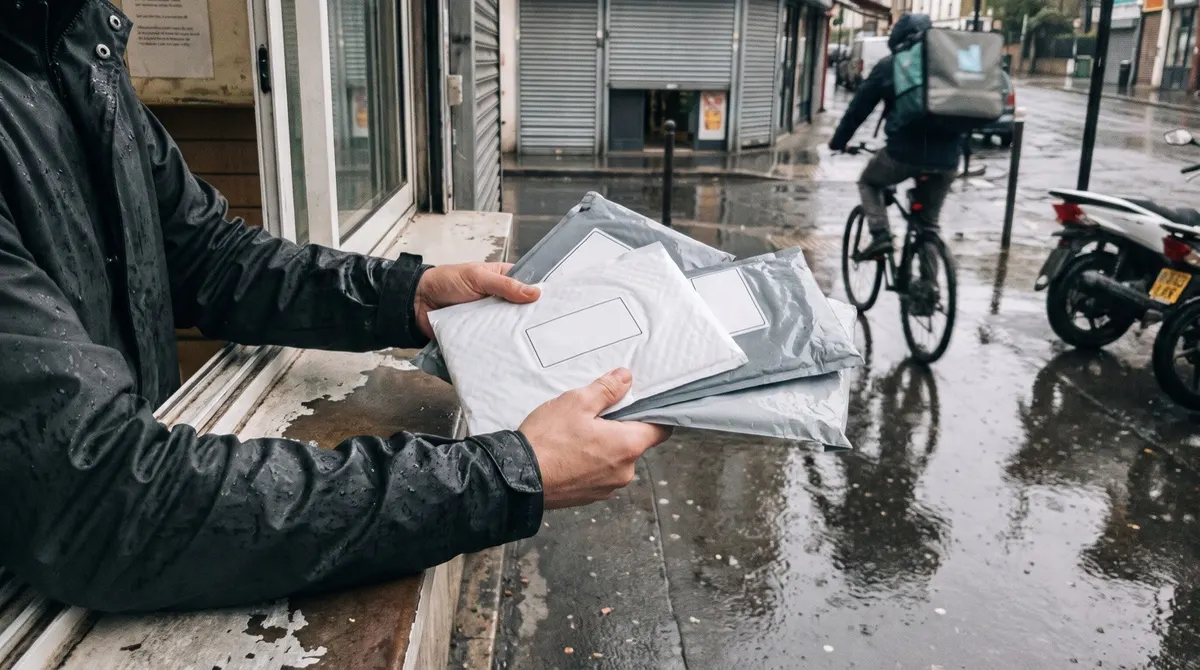
Your first orders will almost always come from people who already know you. Tell them yourself before you post anywhere.
- Tell your own circle firstSend the store link to friends, family and past customers with a personal note. Ask the few most likely to buy to share it.
- Give people a reason to order this weekMake a launch discount code with an end date. The Free plan keeps three codes running at once.
- Post where your buyers already areShare photos of real products on the one or two social networks your buyers use, with the store link. Short videos of the product in use work well.
- Answer every message fastEarly buyers often ask a question before they order. A quick, friendly reply wins most of them.
- Look back after a weekSee which products sold and which questions kept coming up. Change one thing at a time, so you can tell what made the difference.
When free stops being enough
Ten products is enough to prove demand. When your catalog grows, Starter gives you unlimited products, a domain you already own, no Shopdrop badge and 300 Genie credits a month, for $10 a month once paid plans open. That's about a quarter of Shopify's Basic price, and like every Shopdrop plan it takes nothing from any sale. Our comparison of ecommerce platforms prices every alternative.
Questions people ask
Can I really start an online store for free?
You can. Shopdrop's Free plan takes real orders, with no time limit and no card needed. Square Online and Big Cartel have free plans that sell too. What still costs money is your stock, packaging and delivery.
How much does it cost to start an online store?
The platform can cost nothing. Most of what you spend goes on the first batch of stock, photos and packaging. Starting with ten of each item keeps that cost low while you learn what sells.
How long does it take to start an online store?
Setting up the store and adding a few products is the quick part, and you don't have to finish it in one go. Choosing what to sell and getting stock usually takes longer.
Do I need a business license to sell online?
It depends on where you live and what you sell. In the US, an Employer Identification Number from the IRS is free, and your state may need you to register for sales tax. In the UK, you may need to tell HMRC about income from selling. Check the rules where you live before your first sale.
Do I need my own domain on day one?
No. A store address at your store's name on shopdrop.pro works from the start, and you can add a domain of your own later on a plan that supports one.
What is the easiest platform for a beginner?
Shopdrop. You name your store and it's created on the spot, Home shows the six things to finish before you open, and Genie writes your product descriptions from your photos.
Sources
First published Oct 24, 2026. Updated Oct 25, 2026.